
How Study Grove works: a beginner’s guide
Study Grove is a free study game for your browser. Focus minutes are its engine: every minute you complete on the focus timer earns XP and coins, and everything else in the game grows from them. This guide covers your first session, how rewards work, the cottage, pets, the places to explore, studying with others, controls and saving.
Updated
Getting started
Open griiken.online/play and create a free account with Google, Discord, or an email and password. The game runs in any modern browser on a laptop, tablet or phone, with nothing to download. If your browser offers it, Settings can also install Study Grove on your device so it opens in its own window.
A short welcome tour then sets your name, your look and your companion, walks you to the pond, and explains how focus earns rewards. It introduces your study tools, the town and studying together, and a Show me button next to each feature lights up the real control. You can skip the tour at any time and restart it from Controls.
Focus, coins and XP
The focus timer is the heart of the game. Choose 15, 25 or 50 minutes, or your own length, and start. Rewards are settled once, when the session ends.
| Activity | What you earn |
|---|---|
| Each completed focus minute | 2 XP and 1 coin |
| Every 25 focus minutes, counted across sessions | 1 building material |
| A Fernwood field activity (ten seconds) | 2 adventure XP, 3 coins and 1 supply, three rounds per activity each day |
| Fishing | Fish for your collection, with no XP or coins |
| Paused time and the tour’s ten-second demo | Nothing |
The coin journal lists every payout and purchase. Your rank, crafting level, mastery, pet bond and focus totals are tracked separately, so study time is never mixed up with adventure progress. The focus timer guide explains sessions in more detail.
Your cottage and the marché
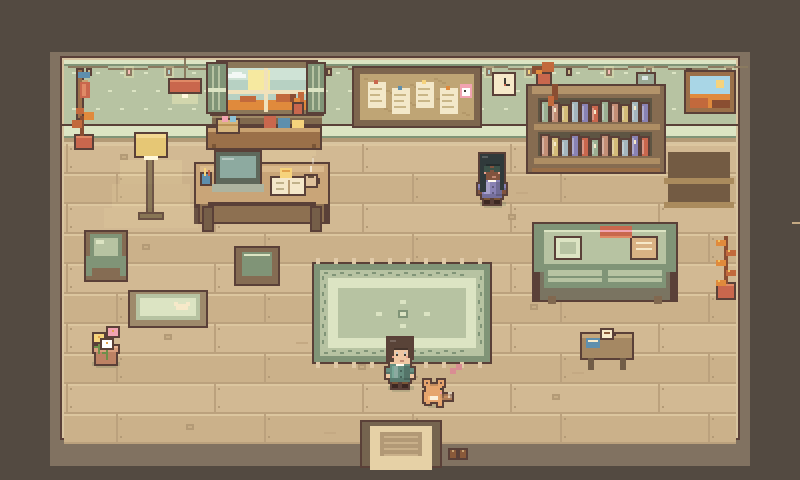
Spend coins at the marché stalls in Fernwood on furniture, rugs and garden pieces. When you place an item, the game shows its footprint and keeps paths clear, with a preview that turns valid or invalid as you move it. You can move, pick up or undo a placement at any time, and the backpack keeps your materials, supplies, finds, fish and decorations.
Your character and pet
The creator has three parts: Character, Pet and Custom art. There are four free character styles and fifteen more characters to unlock with coins. For a pet, choose a fox, cat, bunny, dog, slime or dragon, or paint your own pixel companion.
Your pet follows you around the world. Tap it or visit its playground to try Come, Stay, Rest and Fetch, and care and tricks build your bond over time. Taking a break from the game never harms your pet or lowers your bond.
Places to explore
Open the map with M, or the map button, to see the connected atlas. Choose a destination and the game guides you there, gate by gate. You cross each gate yourself with E or a tap, and Cancel route stops the guidance.
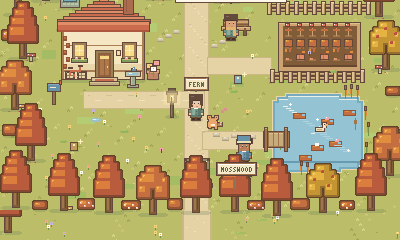
Fernwood
The town at the heart of the grove: your cottage, the pond for fishing, the botanical garden, two cafés, the marché stalls and a fountain bench. Its four field activities are quick ways to gather supplies.
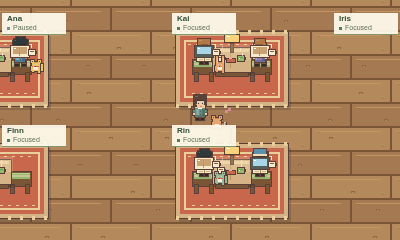
Fern & Bean café
A two-floor café for studying with other people: a coffee hall downstairs and a reading loft upstairs, with 24 seats on each floor.
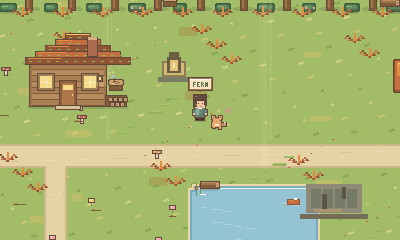
Mosswood Forest
Trails, a cabin and a canopy desk. Identify mushrooms, look for discoveries along the paths and meet the trail keeper.
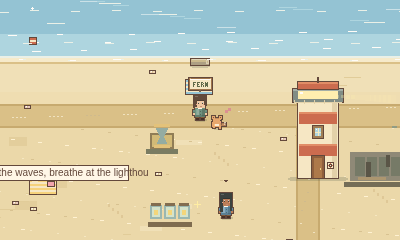
Sunshore Coast
A beach with tide pools and a lighthouse. Match shells, sit at the beach study table or take a guided breathing break.
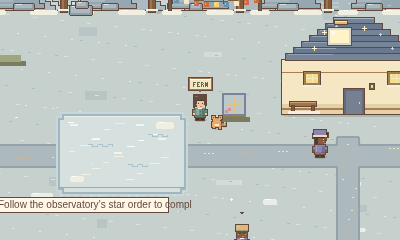
Starlight Peaks
Snowy mountains, stepping stones and an observatory, where you connect constellations in order to complete your star chart.
Across the regions you can find tombstones, collect story fragments and restore landmarks with regional supplies. Restoring a landmark changes the scenery and opens a new study spot. Returning residents have new things to say and useful services, and the trials test what you have learned with clues that stay available and unlimited retries.
Studying with others
Once you are signed in, choose a shared room from the room list: the Fern & Bean café, a silent study hall, a small cottage, or a room you create yourself. You keep your own timer, chat bubbles start hidden, and there is no webcam or microphone. The study rooms guide covers rooms, chat and safety.
Seasons and time of day
The world follows the calendar: blossom in spring, deep green in summer, orange and red in autumn and snow-lit trees in winter. Your local clock brings dusk, night and dawn, with lanterns glowing after dark. When the Rainy café radio station is playing, a light rain falls on outdoor scenes.
Controls
| Action | Keyboard | Touch or mouse |
|---|---|---|
| Walk | WASD or the arrow keys | Tap or click where you want to go |
| Run | Space | Run button on the touch controls |
| Interact | E | Tap the prompt |
| Open the map | M | Map button |
| Chat | T | Chat pill, bottom right |
| Fold the interface | H or Z | The fold toggle on each panel |
| Fullscreen | F | Fullscreen button, then Exit fullscreen |
Saving your progress
Study Grove saves in your browser as you play and syncs to your account. Sign in on another device and your journey continues there. If two devices ever hold genuinely different journeys, the game asks which one to keep instead of overwriting either. Settings & backup can export your progress to a file and import it again. Clearing your browser data removes the copy on that device, but not your account’s cloud save.