
A Pomodoro timer that grows a cozy world
Study Grove’s focus timer is a free, Pomodoro-style study timer inside a pixel-art game. You choose a session length, press Start and get to work. Every completed minute earns 2 XP and 1 coin, which you spend on your cottage, your pet and new places to explore. Paused time earns nothing, so the rewards always match the work.
Updated
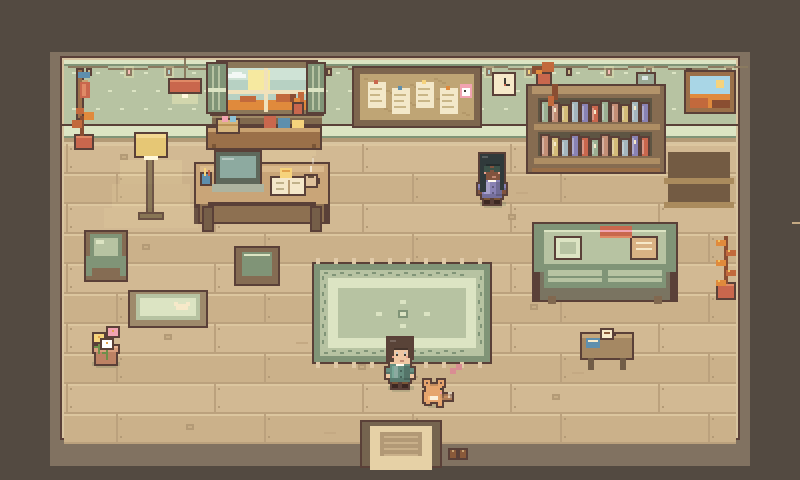
How a focus session works
- 1
Open the study desk
Press Focus to open the timer card. It holds the countdown, the session presets and a task field.
- 2
Name your task
Write what you are working on and, if you like, choose a subject. The session stays linked to that task even if you edit your list later.
- 3
Pick a length and start
Choose 15, 25 or 50 minutes, or set your own length, then press Start. The card shrinks into a corner chip with pause, resume and your task list.
- 4
Finish and collect
When the session ends, its minutes are settled once. Coins, XP and building materials arrive together, and the coin journal lists every payout.
What a session earns
Rewards are a fixed rate for completed focus minutes. Building materials are counted across sessions: one for every 25 focus minutes, with any leftover minutes carried into your next session.
| Session length | XP | Coins | Building materials |
|---|---|---|---|
| 15 minutes | 30 | 15 | 0, with 15 minutes carried over |
| 25 minutes | 50 | 25 | 1 |
| 50 minutes | 100 | 50 | 2 |
| Your own length | 2 per minute | 1 per minute | 1 per 25 minutes |
Rules that keep rewards honest
- Only completed focus minutes count. Paused time earns nothing.
- Each session pays out once, even if Study Grove is open in several tabs. Open tabs share the same session.
- After a long absence, you review the time gap before any rewards are settled.
- Mini-games, gathering and travel pause the timer when they start. The journal, atlas and notebook leave it running.
- The ten-second preview in the welcome tour is only a demo and earns nothing.
Breaks, the cozy way
The classic Pomodoro Technique alternates about 25 minutes of focus with a short break of around 5 minutes, and takes a longer break after four rounds. Study Grove lets you choose the length of each block and when to rest.
Between sessions, a break can be time in the world. Water the garden, fish at the pond, or walk to Sunshore Coast for a guided breathing break of 30, 60 or 120 seconds. Break time never counts as focus time, and the guided breathing break pauses your timer while it runs.
Choosing a session length
| Length | Good for |
|---|---|
| 15 minutes | Getting started on something you have been avoiding, or a quick review of due flashcards. |
| 25 minutes | The everyday default: reading, problem sets and most homework. |
| 50 minutes | Deep work once you have momentum, like writing or revision for an exam. |
| Your own length | Matching a class period, a practice paper or your own routine. |
Tasks, notes and flashcards beside the timer
- Tasks: a to-do list with subjects, ordering, a completed group and undo for deletions. Finished tasks land in your study journal.
- Notebook: keeps a local draft the moment you type and saves shortly after. If saving fails, it says so and offers a retry.
- Flashcards: the included decks or your own cards, with an Again or Remembered choice and a queue of cards that are due.
- Study summaries: weekly and per-subject records of your focus time, kept separate from adventure XP.
Lofi radio while you work
Four lofi stations play while you study: Grove beats, Rainy café, Mosswood morning and Starlight. The music is generated live in your browser with the Web Audio API, so nothing streams from elsewhere, and it keeps playing as you move between the town, the café and the peaks. You can try the radio on the home page.
Focus timer questions
Is the Study Grove timer a real Pomodoro timer?
It is a Pomodoro-style timer: you focus for a set block of time and then take a break. You choose the block length yourself, from 15, 25 or 50 minutes or a custom length, and you decide when to rest.
Does the timer keep running if I switch tabs?
Yes. Open tabs share one saved session, so the countdown carries on while you work in another tab, and the rewards are still settled only once.
Do I earn anything for paused time?
No. Only completed focus minutes earn XP, coins and building materials. Pausing is always allowed; it simply earns nothing.
Can I use the timer without playing the game?
Yes. The study desk works like an ordinary focus timer with a task list. You can fold the interface down to the world and a single Focus button, and come back to the game after the session.
Is the focus timer free?
Yes. The timer, tasks, notebook, flashcards and radio are free, with no ads and nothing to buy. You only need a free account to sign in.